






Load balancing Ross Video Inception
Updated on November 9, 2026
•
Published on November 9, 2026
Benefits of load balancing Ross Video Inception
Deploying a third-party load balancing solution like Loadbalancer.org in front of an Inception Newsroom Computer System (NRCS) cluster delivers three primary operational benefits:
- High Availability and automatic failover: Continuous health monitoring protects 24/7 news operations against unexpected server, hardware, or network failures by automatically redirecting active and incoming user sessions to healthy Inception nodes—preventing on-air disruptions without requiring manual IT intervention.
- Optimized performance and resource distribution: By distributing concurrent user logins, social publishing, and heavy MOS traffic across multiple server nodes, load balancing prevents breaking-news CPU and memory spikes, ensuring low-latency rundown responsiveness and stable UI performance for the newsroom.
- Centralized access and zero downtime maintenance: Providing a single virtual IP/URL simplifies network routing for users and automation while allowing engineers to perform hitless rolling upgrades, OS patching, and server maintenance without disrupting live newsroom operations.
About Ross Video Inception
Ross Video Inception is a web based newsroom computer system (NRCS) and social media management
platform. It brings story planning, assignments, scripting and rundowns together with publishing to social media
and the web, so that a news team can produce content for broadcast and digital channels from a single system.
Users access Inception using a web browser.
Why Loadbalancer.org for Ross Video Inception?
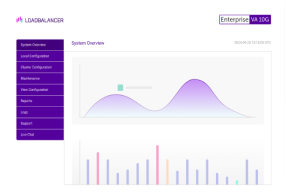
Loadbalancer’s intuitive Enterprise Application Delivery Controller (ADC) is also designed to save time and money with a clever, not complex, WebUI.
Easily configure, deploy, manage, and maintain our Enterprise load balancer, reducing complexity and the risk of human error. For a difference you can see in just minutes.
And with WAF and GSLB included straight out-of-the-box, there’s no hidden costs, so the prices you see on our website are fully transparent.
More on what’s possible with Loadbalancer.org.
How to load balance Ross Video Inception
The load balancer can be deployed in 4 fundamental ways: Layer 4 DR mode, Layer 4 NAT mode, Layer 4 SNAT
mode, and Layer 7 Reverse Proxy (Layer 7 SNAT) mode.
For Ross Video Inception, Layer 7 Reverse Proxy is recommended.
Virtual service (VIP) requirements
To provide load balancing and HA for Ross Video Inception, the following VIP is required:
| Ref. | VIP Name | Mode | Port(s) | Persistence Mode | Health Check |
|---|---|---|---|---|---|
| VIP 1 | Inception | L7 Reverse Proxy (HTTP) | 80 | Source IP | Connect to Port |
Load balancing deployment concept
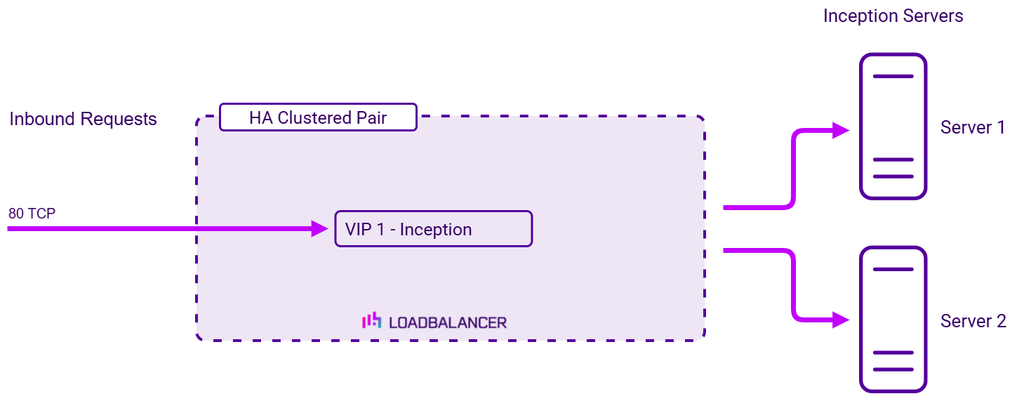
Once the load balancer is deployed, clients connect to the Virtual Service (VIP) rather than connecting directly to
one of the Inception servers. These connections are then load balanced across the Inception servers to distribute
the load according to the load balancing algorithm selected.
About Layer 7 Reverse Proxy load balancing
Layer 7 Reverse Proxy uses a proxy (HAProxy) at the application layer. Inbound requests are terminated on the load balancer and HAProxy generates a new corresponding request to the chosen Real Server. As a result, Layer 7 is typically not as fast as the Layer 4 methods.
Layer 7 is typically chosen when enhanced options such as SSL termination, cookie based persistence, URL rewriting, header insertion/deletion etc. are required, or when the network topology prohibits the use of the Layer 4 methods.
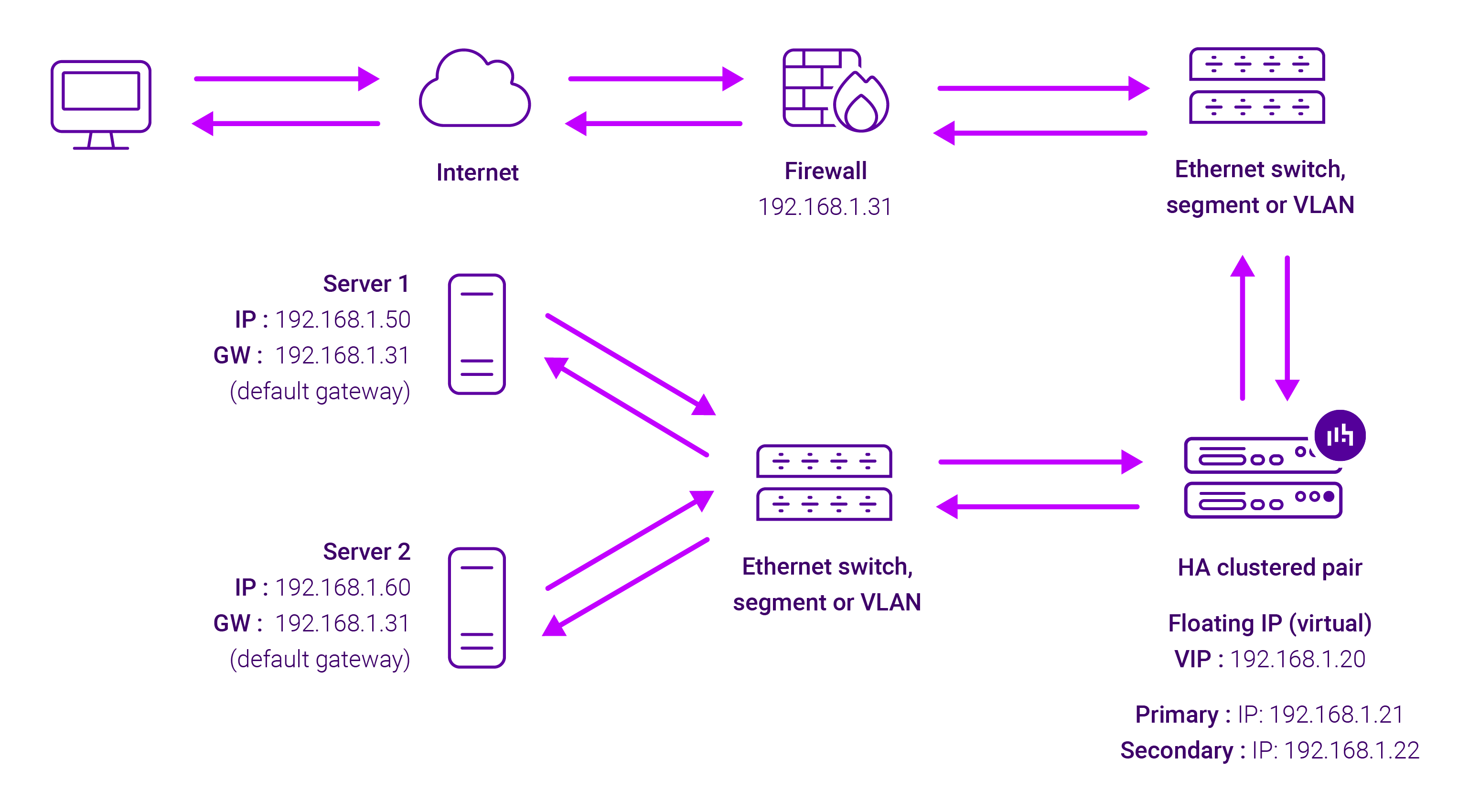
Because Layer 7 Reverse Proxy is a full proxy, any server in the cluster can be on any accessible subnet, including across the Internet or WAN.
Layer 7 Reverse Proxy is not transparent by default i.e. the Real Servers will not see the source IP address of the client, they will see the load balancer’s own IP address by default, or any other local appliance IP address if preferred (e.g. the VIP address). This can be configured per Layer 7 VIP.
If required, the load balancer can be configured to provide the actual client IP address to the Real Servers in two ways:
- Either by inserting a header that contains the client’s source IP address, or
- By modifying the Source Address field of the IP packets and replacing the IP address of the load balancer with the IP address of the client.
Layer 7 Reverse Proxy mode can be deployed using either a one-arm or two-arm configuration. For two-arm deployments, eth0 is normally used for the internal network and eth1 is used for the external network, although this is not mandatory.
No mode-specific configuration changes to the load balanced Real Servers are required.
Port translation is possible with Layer 7 Reverse Proxy e.g. VIP:80 → RIP:8080 is supported. You should not use the same RIP:PORT combination for Layer 7 Reverse Proxy VIPs and Layer 4 SNAT mode VIPs because the required firewall rules conflict.